

A MuseScore alternative for tab writers

Reflow is a native tablature, drum-notation, and band-score editor for iPhone, iPad, and Mac. One-time purchase, no separate Pro tier.

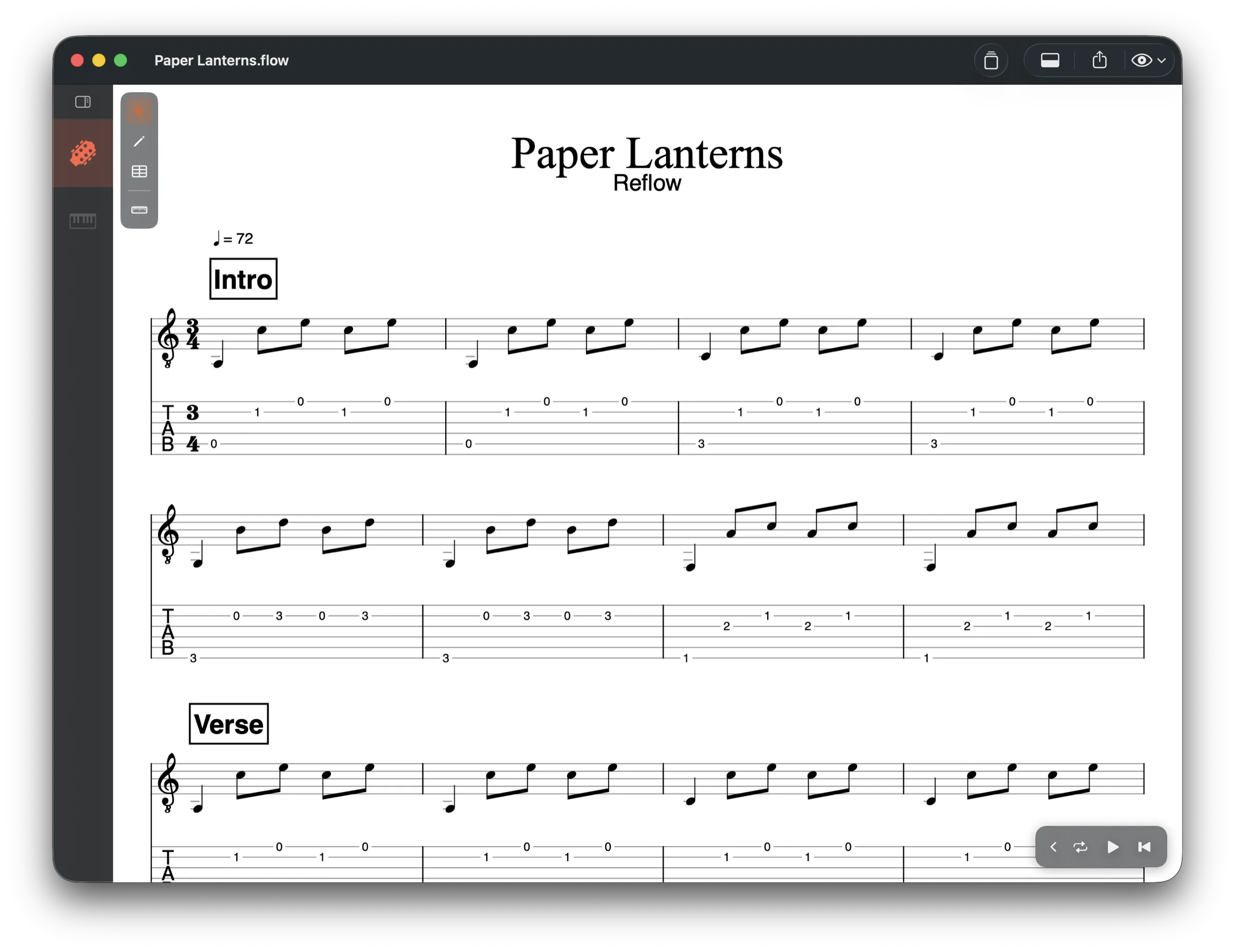
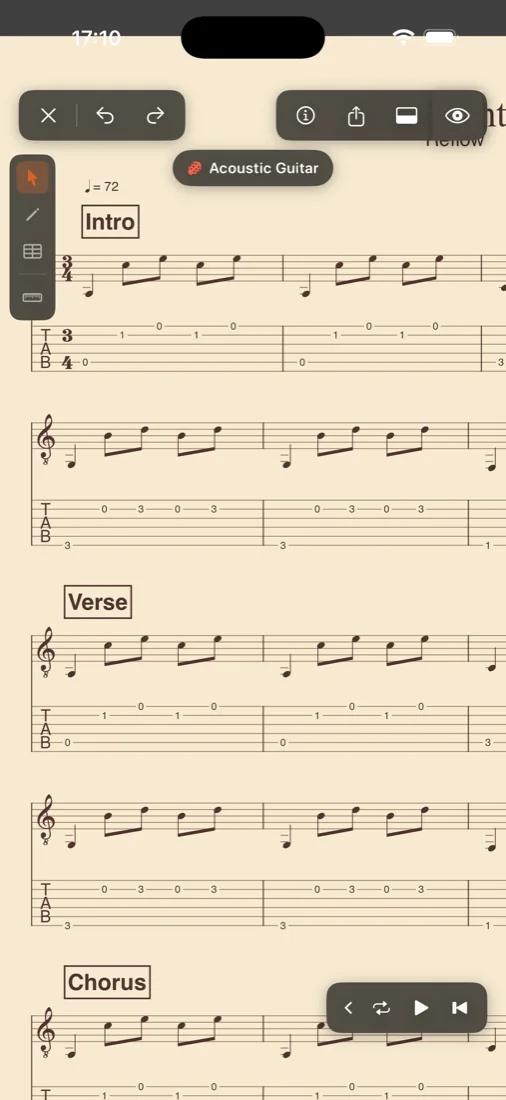
Reflow on iPad — Midnight Blue theme Reflow on Mac — Classic theme Reflow on iPhone — Sepia theme
Focus

Designed for tabs and band scores

Reflow is built around guitar tablature, drum notation, and multi-track band scores — the way most rock, jazz, and folk musicians actually work. Tablature is a first-class citizen, not an afterthought on a classical notation canvas.

iPad + iPhone

Native on every Apple platform

MuseScore's mobile offering is a companion player, not an editor. Reflow is the full editor on iPhone, iPad, and Mac — write, edit, record, export, all from any device.

Feature Reflow MuseScore
Native iPad app ✓ ✕
Native iPhone app ✓ ✕
Native Mac app ✓ ✓
Designed for tablature ✓ ✕
Full drum notation ✓ ✓
Edit during playback ✓ ✕
AU plugin hosting (Mac) ✓ ✕
Free Clips arrangement ✓ ✕
Design Mode (manual page layout) ✓ ✓
Guitar Pro import ✓ ✓
No Pro subscription pressure ✓ ✕
iOS price $14.99 one-time Free + $6.99/mo Pro
Mac price $29.99 one-time Free + $6.99/mo Pro
Pricing

Pay once, own it

No 'Pro' tier. No monthly upsell. No paid cloud sync. $14.99 on iOS or $29.99 on Mac, one-time, all updates included. The free trial is the full editor with a 2-track limit and exports capped at 10 measures.

Live Editing

Edit while it plays

Change notes, swap instruments, tweak effects — all during playback. Every change is heard instantly. A completely different workflow from notation apps that require you to stop-edit-play.

Studio Rack

Your plugins, your tone (Mac)

On Mac, Studio Rack lets you host Audio Unit plugins per track. Neural DSP, TONEX, Kontakt, Superior Drummer — any AU plugin, on any track. MuseScore doesn't do this.

Mac

Frequently asked questions

Is Reflow free like MuseScore?
No — Reflow is a paid one-time purchase ($14.99 iOS, $29.99 Mac). The free trial is the full editor with a 2-track limit and exports capped at 10 measures. Paying once gets you the whole app, natively on Mac, iPad, and iPhone.
Why would I switch from MuseScore to Reflow?
If you primarily write tablature, drum grooves, or band scores for rock/jazz/folk contexts — Reflow is designed around that workflow. If you need a native iPad or iPhone app — MuseScore doesn't have one. If you want AU plugin hosting on Mac — Reflow does that, MuseScore doesn't.
Can Reflow open MuseScore files?
Not directly (.mscz isn't supported), but if you export your MuseScore project to MusicXML or MIDI, Reflow imports both cleanly. That's the standard interchange path between any two notation apps.
Does Reflow have standard notation?
Yes. Reflow renders standard notation alongside tablature (or on its own). You get noteheads, stems, beaming, accidentals, key signatures, time signatures, and multi-voice staves. Tab and notation stay in sync as you edit.
Can Reflow do full orchestral scores?
It can, but it's not the primary design target. Reflow is purpose-built for guitar/bass tab, drum notation, and band scores (rock/jazz/folk). For heavy orchestral notation workflows, Dorico or Finale are more specialized. For most songwriter and band contexts, Reflow is more focused and faster to use.
Does Reflow work offline?
Yes. Writing, playback, and file exports all work offline, with no account. Scores are files on your device, or in iCloud Drive if you keep them there.

Try Reflow

Free trial is the full editor with a 2-track limit and exports capped at 10 measures. $14.99 iOS / $29.99 Mac, one-time purchase.