Fret numbers on strings
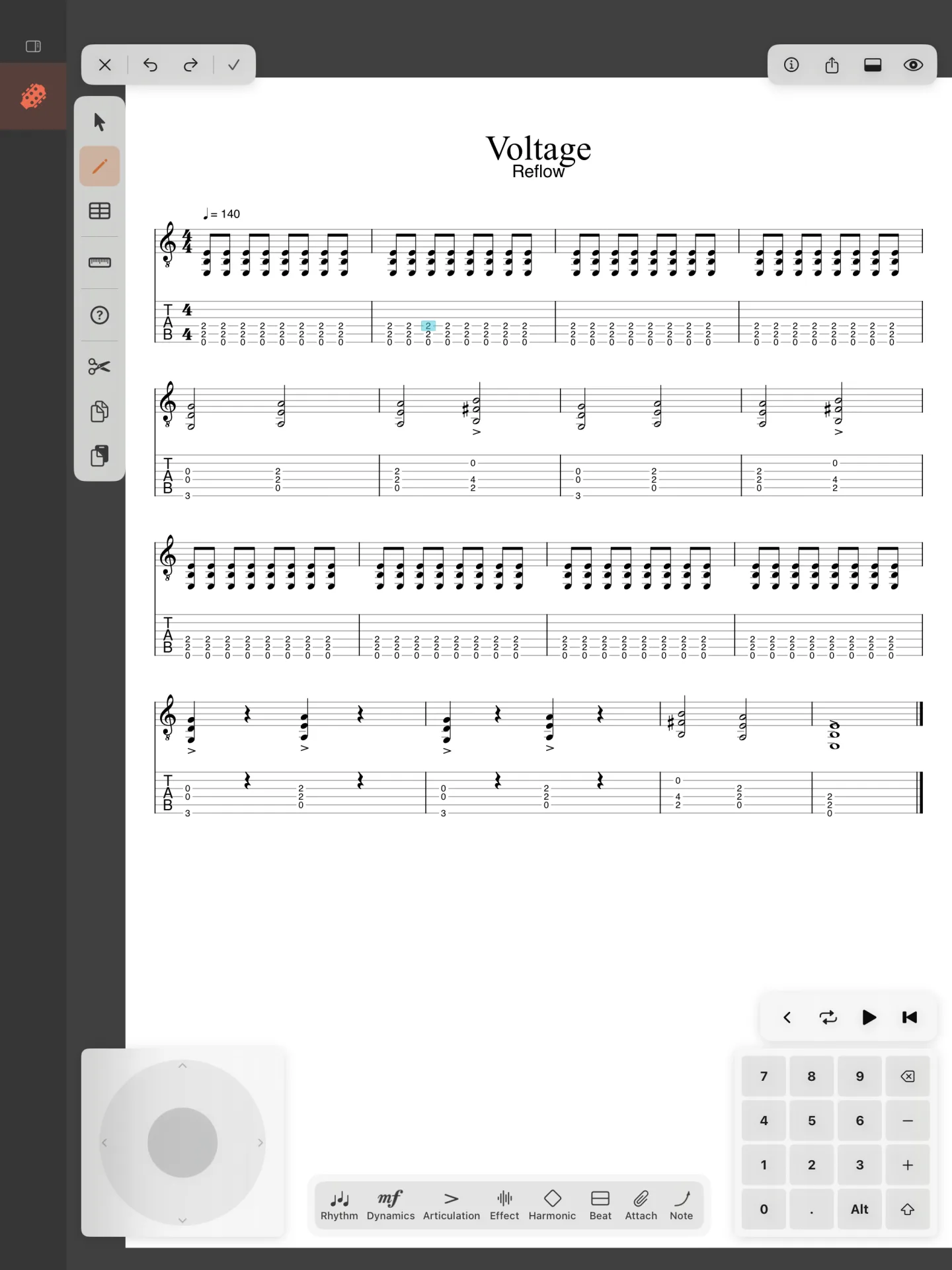
Select a string, type a fret number. That's it. Reflow's tab input works the way guitarists think — no music theory required. Navigate with arrow keys or tap directly on the staff.
A dedicated tab editor with fret-by-fret entry, real notation, and instant playback. Write tabs the way you think — on iPhone, iPad, and Mac.



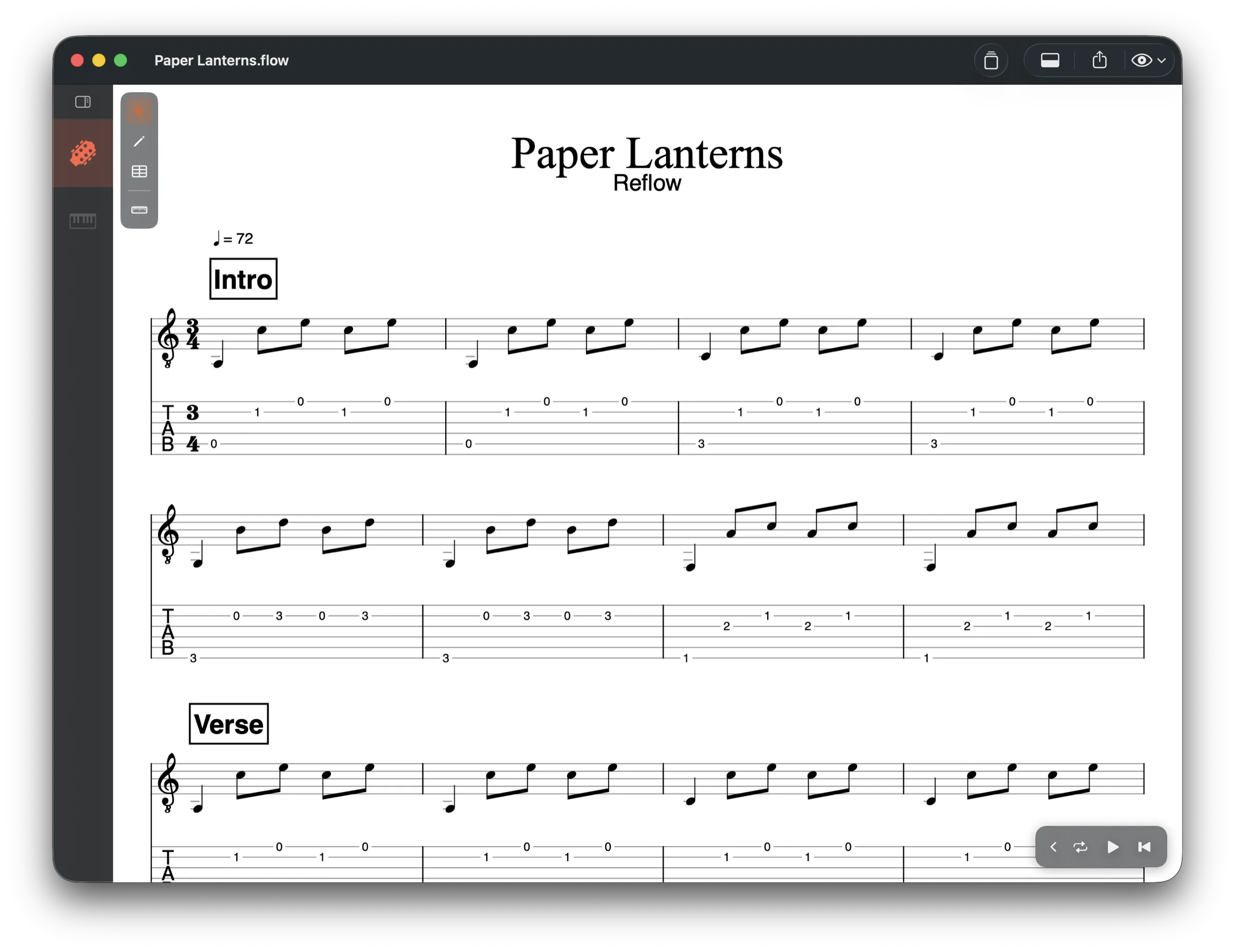
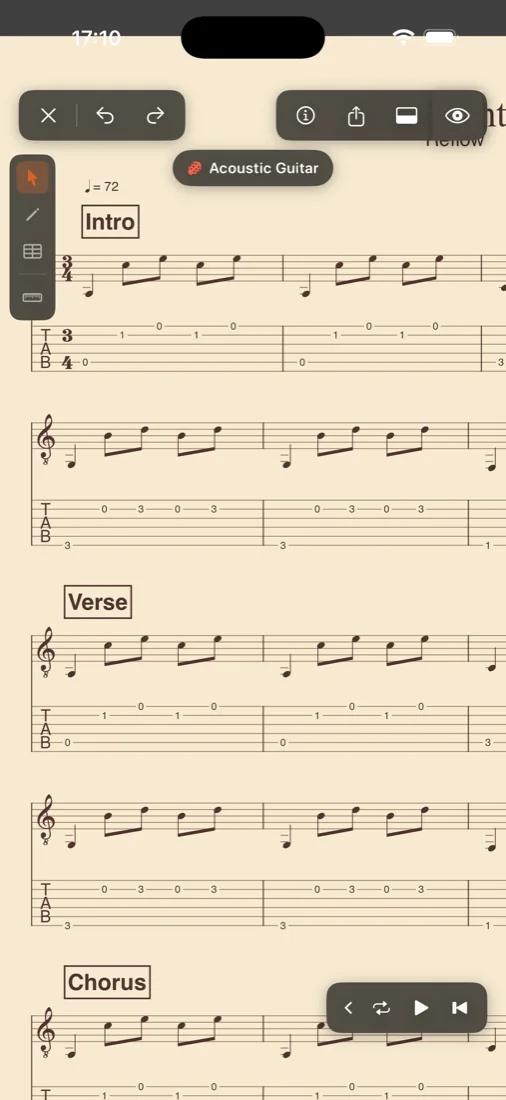
Select a string, type a fret number. That's it. Reflow's tab input works the way guitarists think — no music theory required. Navigate with arrow keys or tap directly on the staff.
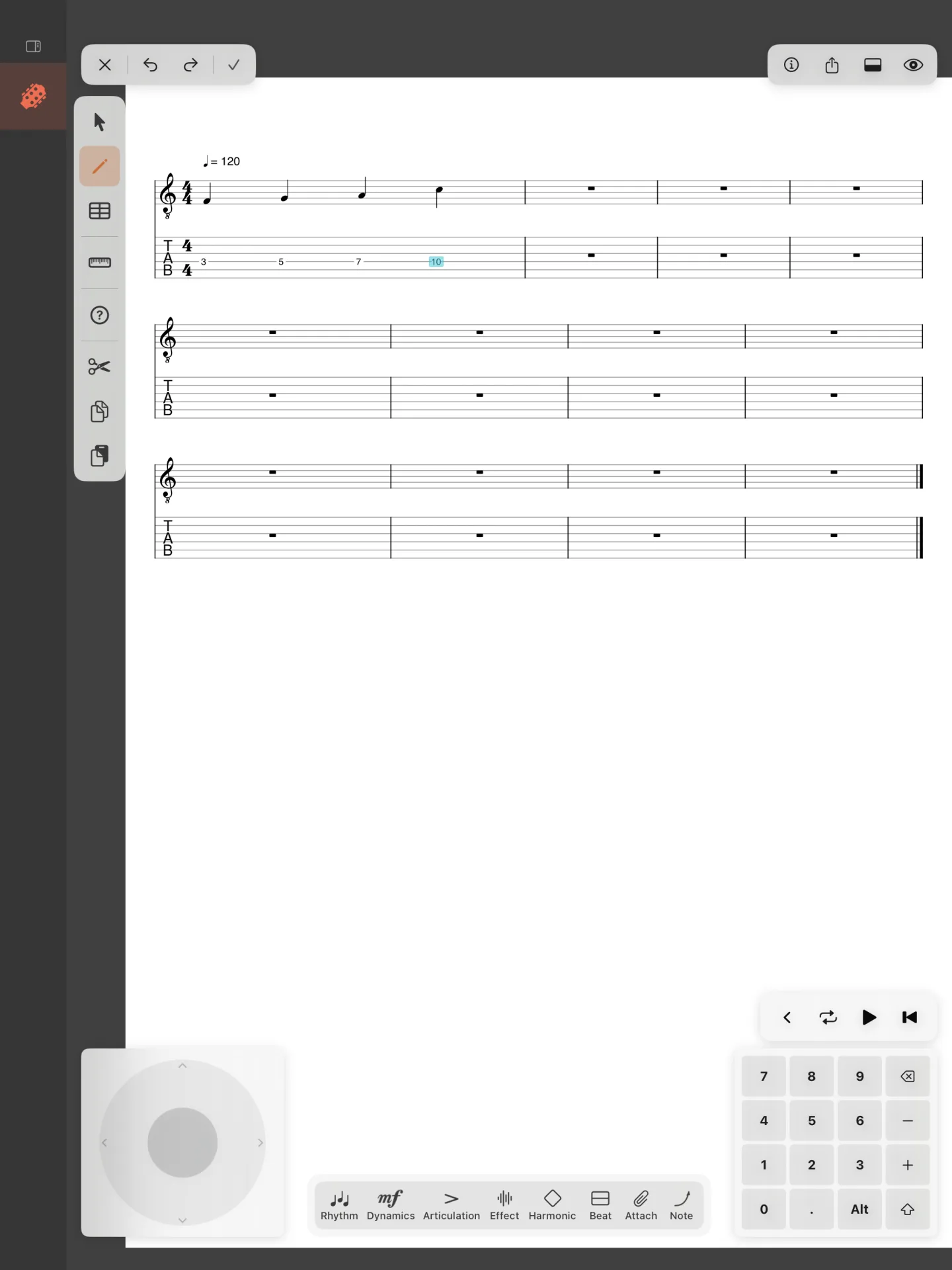
Add bends, slides, hammer-ons, pull-offs, vibrato, palm mutes, tapping, lyrics, and five types of harmonics with playback. Enter notes on a virtual fretboard or keyboard. Every technique plays back accurately.
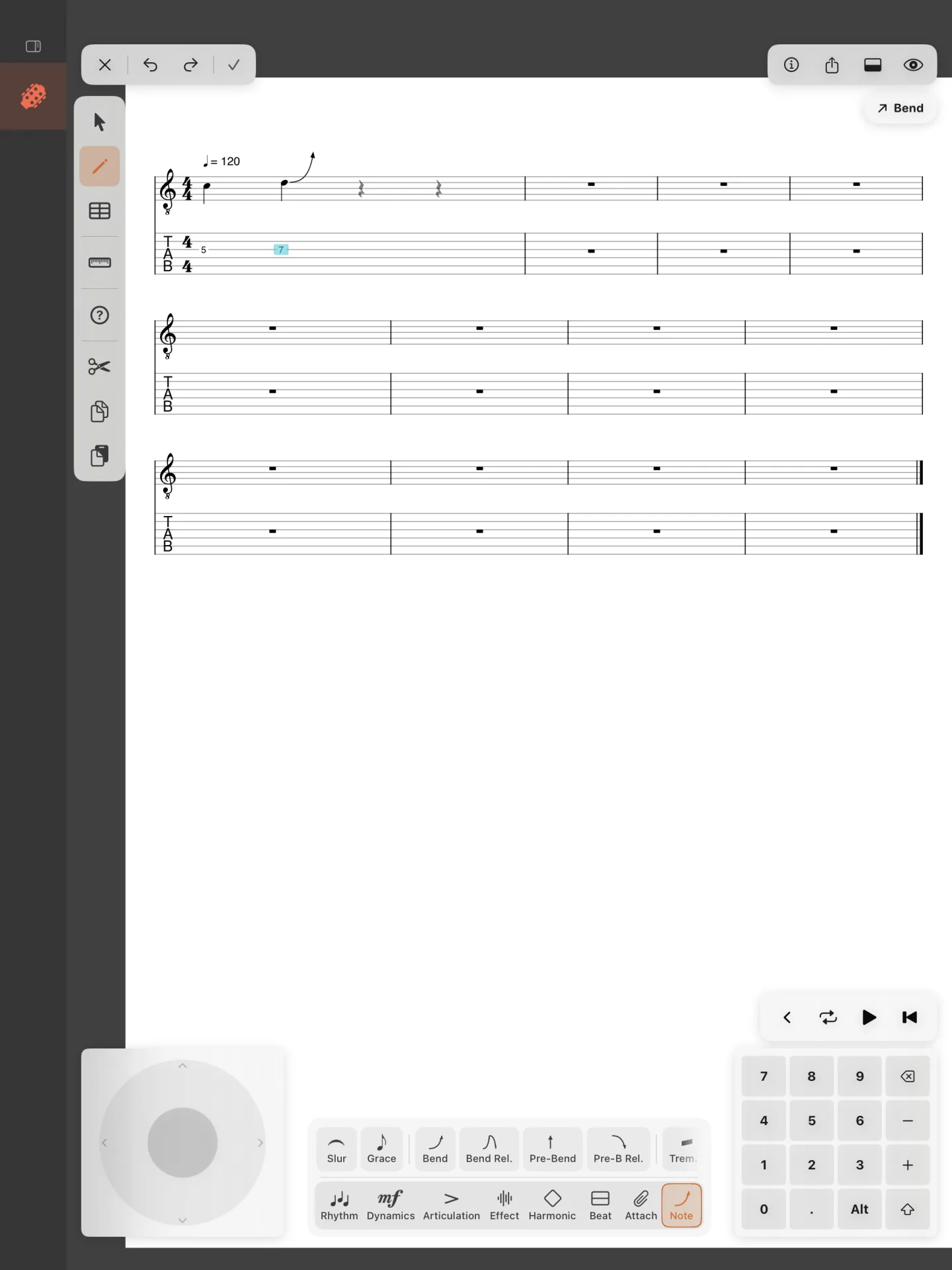
Standard notation is generated automatically above your tab staff. Rhythms, rests, and beaming update as you enter notes — no extra work needed.
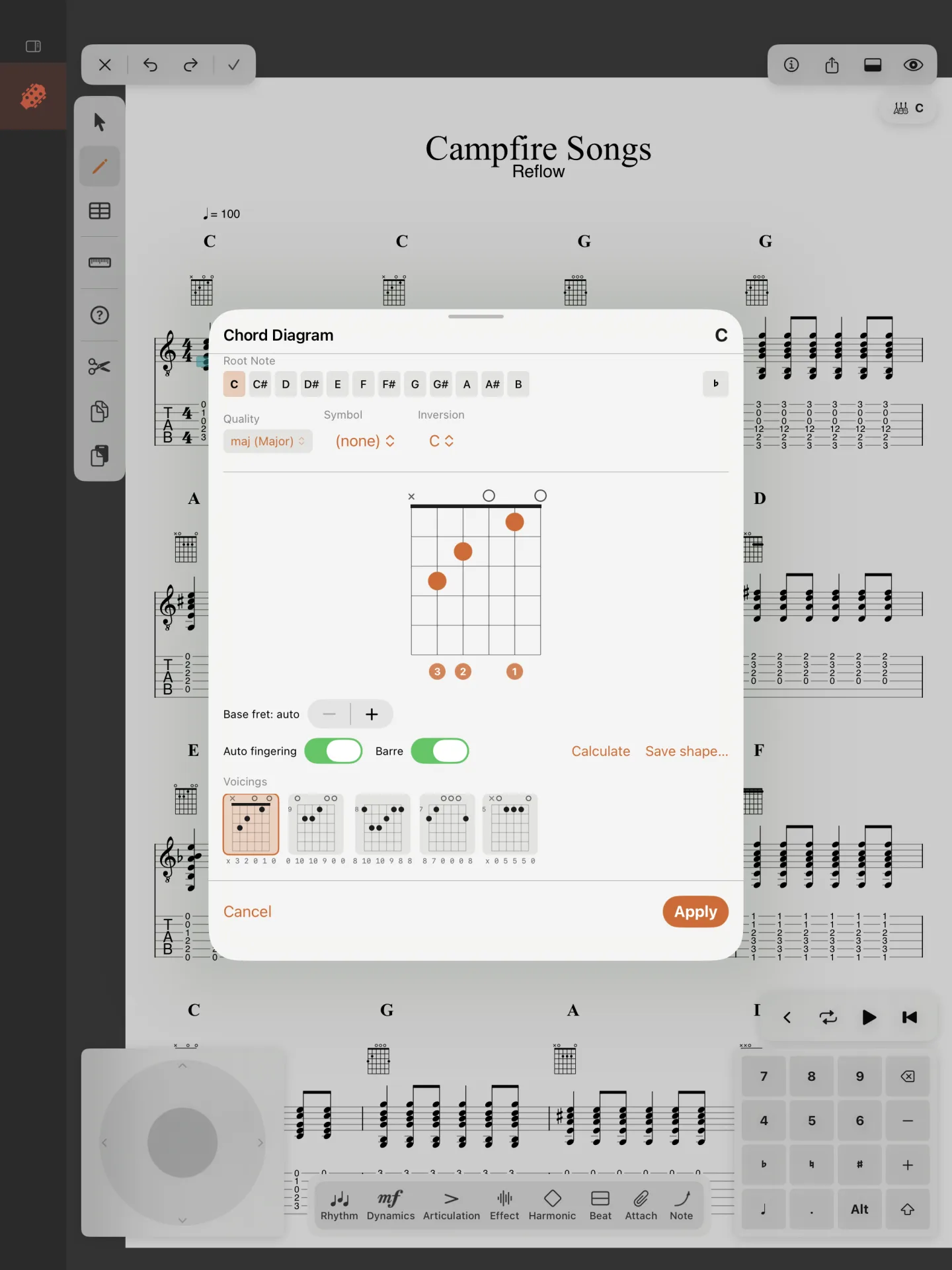
Add chord diagrams above any beat. Choose from a built-in library or create custom fingerings. Chord names display automatically.
Change notes, add techniques, adjust your tab — all during playback. Hear every change instantly without stopping. No other tab editor does this.
Built-in audio engine plays your tabs with realistic guitar sounds. Adjust tempo, loop sections, and use the metronome for practice.
Free trial is the full editor with a 2-track limit and exports capped at 10 measures. Purchase unlocks unlimited tracks and full exports.