Entering notes
Write fret numbers on the tab, string by string, with the keypad or the keyboard.
Available on iPad, iPhone and Mac.


You write tab as you would on paper: put the cursor on a string, type the fret. Reflow draws the note on the standard staff above at the same time, and plays it back with the track’s instrument.
The Edit tool
The Edit tool (the pencil) is the one for writing. Choose it in the tool selector at the left of the score, or in the first row of the input panel at the bottom on iPhone, or in View › Tool › Edit; or double-tapdouble-click a staff, and Reflow switches to Edit with the cursor there.
In Edit, a cursor shows on the tab: a box on one string of one beat. The tools’ categories line the bottom of the score (Rhythm, Dynamics, Articulation, Effect, Harmonic, Beat, Attach and Note), each opening its buttons above it. The keypad types frets and durations, and the joystick moves the cursor.On the Mac, the keyboard types the frets and the arrows move the cursor; every button is also a menu item, and holding the pointer over one shows its item and its key.
Typing frets
- TapClick the tab on the string and the beat where the note goes: the cursor moves there.
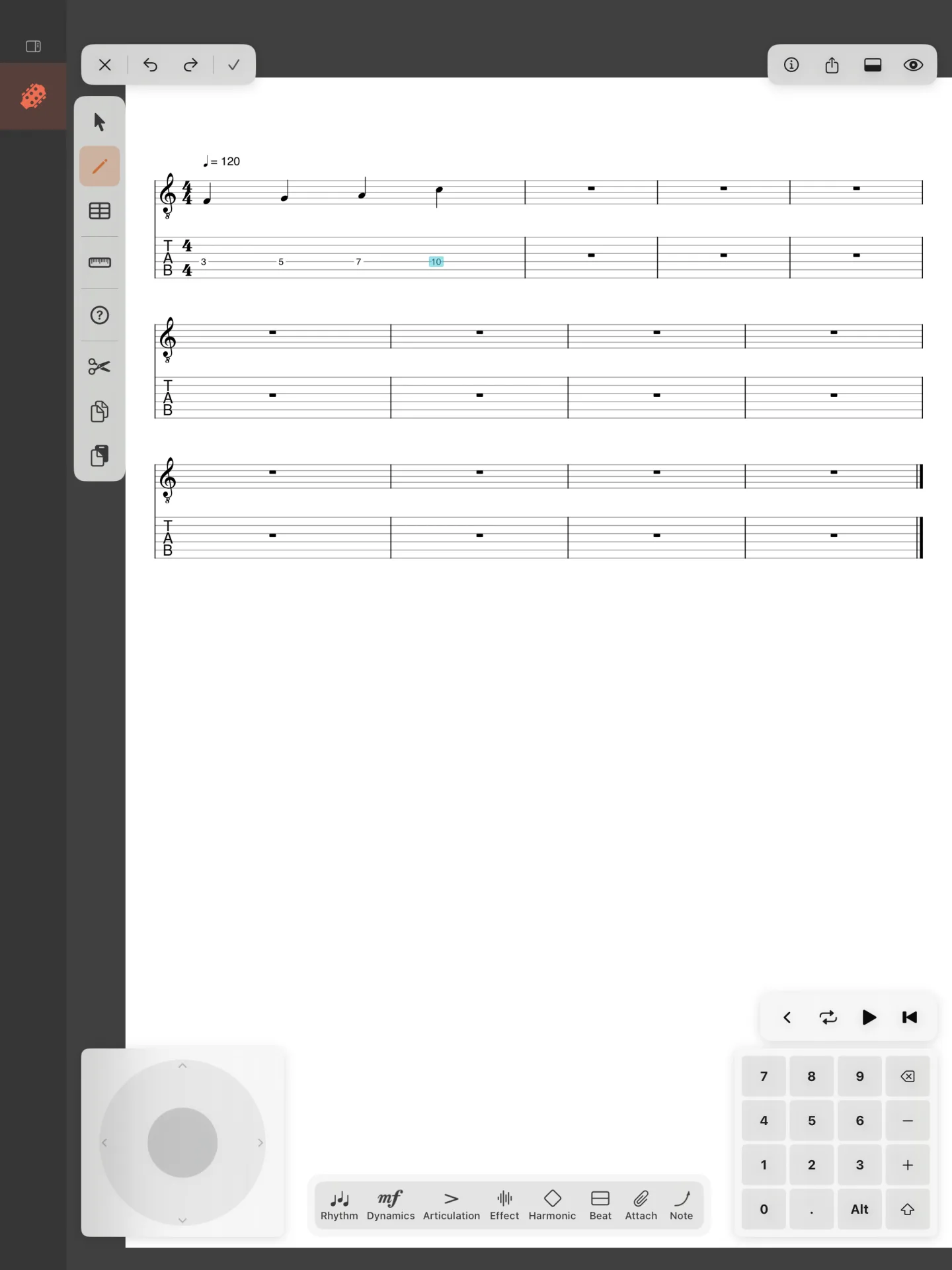
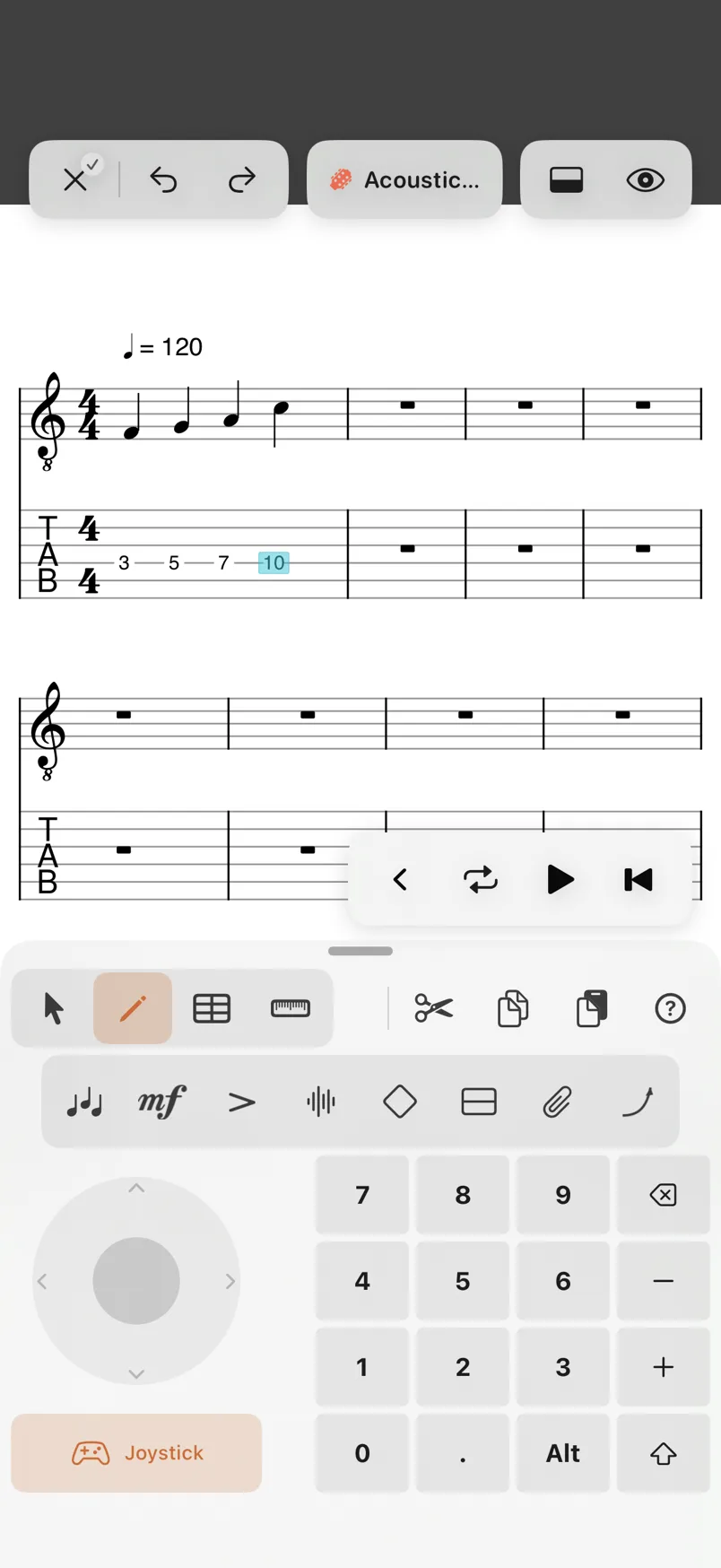
- Type the fret on the keypadon the number keys, or the numeric keypad. The note is written at the cursor, with the duration chosen in Rhythm.
- Move to the next beat with the joystick or the arrowswith →, and type the next fret. Past the last beat of the last bar, Reflow adds a bar.
For a fret above 9, type its two digits one after the other: 1 then 2 is fret 12. A first digit of 1, 2 or 3 waits for a second one; moving the cursor ends it.
Typing on a string that already has a note at that beat changes its fret. To write a chord, move up or down to another string of the same beat and type its fret: the notes of one beat sound together.
The keypad, beside the digits:
- ⌫ deletes the note at the cursor (see Selecting and editing).
- − and + make the beat’s note shorter or longer, and . dots it (see Durations and rests).
- Alt and ⇧ change what the arrows and the joystick do (see Moving around).
With a hardware keyboard on iPad, the number keys type frets, as on the Mac.
The keys while you write tab: 0 to 9 type frets, X writes a dead note, ⌫ deletes the note at the cursor, − and + make the beat shorter or longer, and , dots it.
Writing on the standard staff
You can write on the standard staff too: put the cursor on a line or a space of the staff and the keypad’s keys change to notation. 0 (a quarter note) writes the note on that line, and 1, 2 and 3 write it flat, natural or sharp, or make the note already there so; with Alt on, 1 and 3 are a double flat and a double sharp. On a tab track the note goes on a free string Reflow finds for it, and the tab shows its fret. On the Mac, the number keys do the same, with ⌥ for Alt.